If you have a question about your account, a deposit through JazzCash or Easypaisa, or how to reach us — this is the right place to start. We have collected the questions we hear most often and answered each one clearly, so you spend less time searching and more time doing what you came here for.
Slots, Live Tables and Sportsbook — What Changes, What Does Not
Whether you open Crash Smoke in the slots lobby, join a live dealer table, or follow PSL cricket odds in the sportsbook, the same account and wallet carry you across all three. Your transaction history, deposit balance and support access do not reset when you switch sections — everything stays in one place. The only thing that changes is the content on screen. Payment steps, withdrawal requests and account verification all follow the same process regardless of which section you are in.
Slots
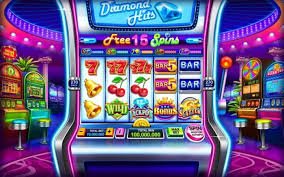
Titles from Microgaming, PG Soft, CQ9, Habanero, Pragmatic Play and Spadegaming sit in the slots lobby. Your wallet balance from a JazzCash deposit is available here exactly as it is anywhere else in your account.
Live Casino
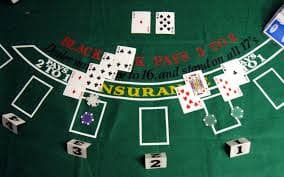
Live dealer tables run from the same account login. No separate registration, no separate wallet. If you have a question during a session, the same support routes apply — nothing changes on the help side.
Sportsbook
Cricket markets, including PSL and international fixtures, sit alongside football and other sports. Your single wallet covers all bets. Withdrawal requests from sportsbook winnings follow the same steps as anywhere on the platform.
Account and Wallet
One login. One transaction history. One wallet that accepts JazzCash, Easypaisa, Raast and Bank Transfer. Support queries about any section are handled through the same contact routes shown in your account dashboard.
WHAT DEFINES BET66
The Elements You Will Notice Straight Away
A few things about bet66 are visible the moment you log in — not because we say so, but because you will find them in practice as you navigate your account. The FAQ page you are reading right now is part of that same commitment: answers written for real questions, not placeholder text.
Local Payment Access
JazzCash, Easypaisa, Raast and Bank Transfer are all connected to your wallet. You do not need a credit card or an international account. The deposit and withdrawal screens show you exactly which options are available to your account at the time of the request.
Mobile-First Account Navigation
Every account page — deposit, withdrawal, transaction history, support contact — is reachable from your phone browser without needing to switch to a desktop. The layout adjusts automatically so form fields and buttons stay easy to tap.
Game Library Across Studios
Content from Microgaming, PG Soft, CQ9, Habanero, Pragmatic Play and Spadegaming loads from a single lobby. You can move between Crash Blaze, live tables and sports markets without logging out or switching wallets.
Support Before You Are Stuck
The FAQ, live chat and account help links are shown inside your dashboard — not buried in a footer you have to scroll to find. If the FAQ does not resolve your question, the next step is one tap away.
Reference / 04
Why This FAQ Exists and How to Use It
Most questions about bet66 fall into a small number of categories: how to get into your account, how deposits and withdrawals work with JazzCash, Easypaisa, Raast or Bank Transfer, what to do if a transaction is pending, and how to reach support when the FAQ is not enough. We built this page around those categories — not around a generic list of platform features. Each answer below is written for a question a real account holder would ask. If something is not covered here, the live chat option inside your account dashboard connects you to a support agent directly. Account eligibility and access depend on local law and the eligible regions we serve, so where you see steps that reference verification, those steps are there because they are required — not optional. The same applies to withdrawal processing: the fields and limits shown during your withdrawal request are the current ones for your account; we do not publish fixed numbers here because they can change based on payment method and account status. Use the FAQ as your first step, then the dashboard, then live chat if you need to go further.
JazzCash
Easypaisa
Raast
Bank Transfer
PLATFORM STRUCTURE
Structural Facts About How bet66 Works
These are the structural details of how the platform is set up — the things that stay fixed regardless of which section you are in or what device you use.
Slots, live casino and sportsbook all accessible from one account login
3 Sections
JazzCash, Easypaisa, Raast and Bank Transfer connected to your wallet
4 Payment Rails
Microgaming, PG Soft, CQ9, Habanero, Pragmatic Play and Spadegaming in the game lobby
6 Studios
Full account navigation, FAQ and support available in English for Pakistan
English
HOW TO REACH US
Support Routes When the FAQ Is Not Enough
The FAQ covers the most common questions, but some account situations need direct attention. Here are the three ways to get help — each one is accessible from your account dashboard after you log in.
Live Chat
The live chat link sits inside your account dashboard. Open it to connect with a support agent directly. It is the fastest route for account-specific questions — things like a pending JazzCash deposit or a withdrawal status check that the FAQ cannot resolve for your specific account.
Email Support
For questions that need a written record — verification documents, account review requests or transaction disputes — email support is available through the contact address shown in your account settings. Response times are shown there and vary by query type.
Account Dashboard Help
Many account actions — changing your linked Easypaisa number, reviewing transaction history, checking withdrawal status — can be done directly inside the dashboard without contacting support. Check the relevant section there before opening a support ticket.
ANSWERS YOU CAN RELY ON
How We Keep This FAQ Accurate and Useful
An FAQ that gives you the wrong answer wastes more time than having no FAQ at all. Here is how we make sure what you read here reflects how the platform actually works.
Written From Real Queries
Each question here came from actual account holders — not from a generic casino FAQ template. If a question kept appearing in support chat, it earned a place on this page. That means the answers address the situation you are actually in, not an imaginary one.
Payment Steps Match the Screen
The deposit and withdrawal steps described here reflect what you see in your account. We do not publish fixed fee amounts or processing windows because those depend on your payment method and account state — the live screen is always the source of truth.
Access Eligibility Stated Clearly
Where access depends on local law and eligible regions, we say so directly rather than implying universal availability. Pakistan-based account holders should review the access information shown during registration and in their account terms.
FAQ Linked to Live Support
No FAQ covers every situation. That is why each answer points you to the next step — live chat, email or your account dashboard — rather than leaving you in a dead end. The chain from question to resolution stays short.
COMMON ACCOUNT QUESTIONS
Frequently Asked Questions on bet66
These are the questions we see most often from account holders in Pakistan. Read the answer that matches your situation; if you need to go further, the support routes above are available from your dashboard.
How do I deposit using JazzCash or Easypaisa?
Log in to your account and go to the Deposit section in your dashboard. Select JazzCash or Easypaisa from the payment options shown. Enter the amount and follow the steps on screen — they will include the mobile number linked to your wallet and a confirmation step. The exact fields depend on the current payment screen in your account.
Why is my deposit showing as pending?
A pending status usually means the payment provider has not yet confirmed the transaction to our system. For JazzCash and Easypaisa, this typically resolves once the mobile confirmation is completed on your end. If the status has not updated after a reasonable wait, contact live chat with your transaction reference number.
How do I request a withdrawal to my Bank Transfer or Raast account?
Go to the Withdrawal section inside your account dashboard. Choose Bank Transfer or Raast, enter your account details and the amount you want to withdraw. The available methods and any minimum amounts are shown on that screen. Processing depends on the method selected and your account verification status.
What do I do if I cannot log in to my account?
Use the password reset option on the login screen — it will send a reset link to your registered email address. If you no longer have access to that email, contact support through the email address shown on the contact page. Do not share your login details with anyone during this process.
Can I change the mobile wallet number linked to my account?
Yes. Go to your account settings and look for the payment or wallet section. The steps to update your linked JazzCash or Easypaisa number are shown there. You may need to verify the new number before it becomes active. If the option is not visible, contact live chat for assistance.
Where can I see my full transaction history?
Your complete transaction history — deposits, withdrawals and game rounds — is in the Transaction History section of your dashboard. It is available after you log in and does not require a support request to access. Filter by date or transaction type to find a specific entry.
How do I find out if bet66 is available in my region of Pakistan?
Availability depends on local law and the eligible regions we serve. When you register or log in, the platform checks eligibility based on your location. If access is restricted in your area, you will see a message explaining this during the login or registration process. We do not publish a fixed list of restricted zones as this can change.
 Slots / Mobile